 Crios
Crios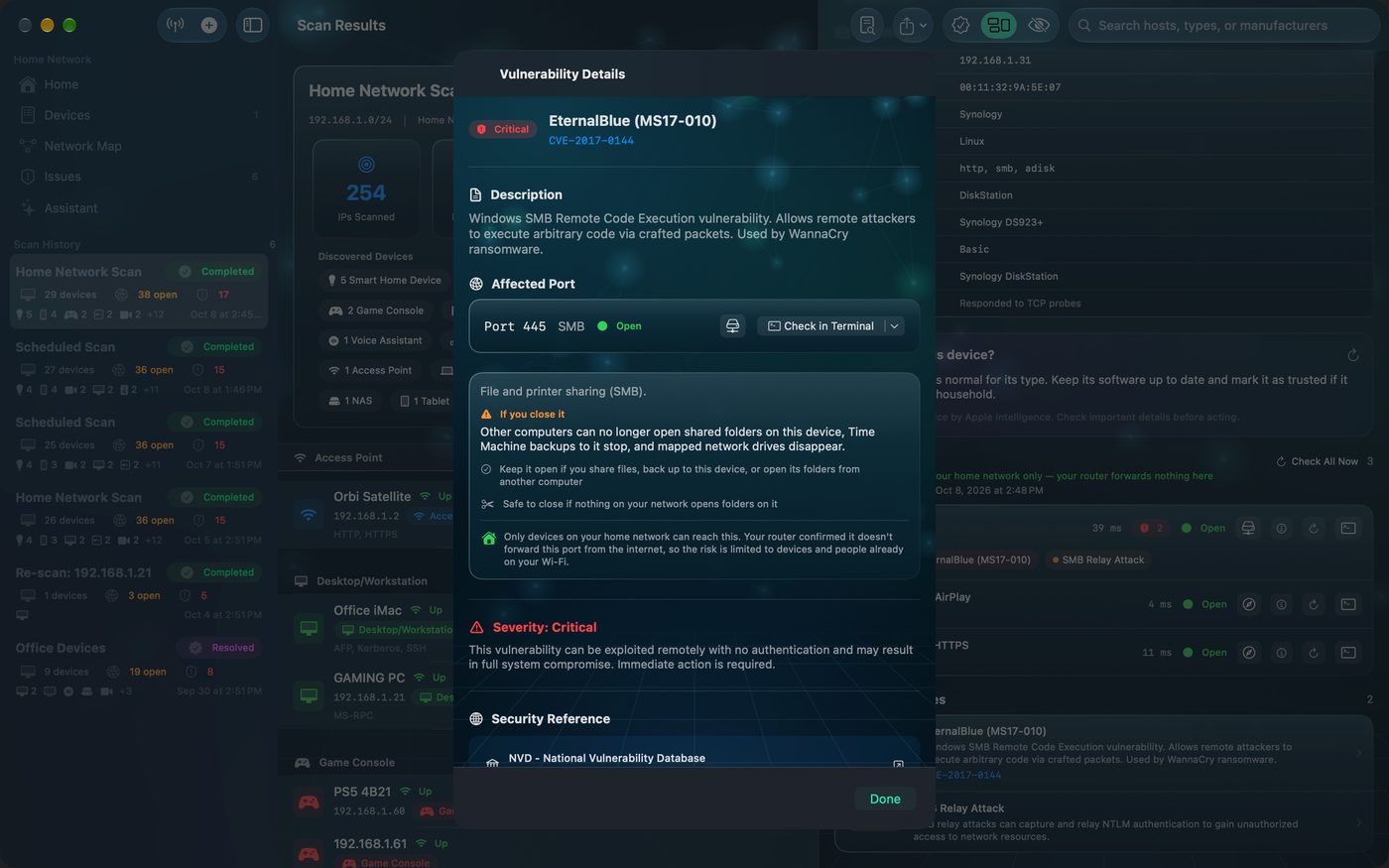
The problem with blanket advice
Security checklists tend to say “close everything you don't need”. At home, it's often hard to know what you need. File sharing on your NAS looks like a risk until your Mac's Time Machine backups quietly stop. Port 53 on a small box in the cupboard looks odd until you realise it's the Pi‑hole every device uses for DNS.
Check what a port does first
In Crios, tap ⓘ on any open port. You'll see:
- What it's for, in one line.
- If you close it: what stops working.
- Keep it open if it serves something you use.
- Safe to close if nothing depends on it.
- Whether it's reachable from the internet or only from home.
The same warning appears inside each finding on the Issues tab, under Before you close it.
Ports that commonly bite back
| Port | If you close it |
|---|---|
| 445 SMB | Other computers can't open shared folders, Time Machine backups to that device stop, mapped drives disappear. |
| 53 DNS | Every device using it for DNS can't look up websites, so the internet appears broken for the whole house. |
| 631 IPP | Computers and phones can't print to that printer over AirPrint or IPP. |
| 7000 AirPlay | You can't AirPlay music, video or your screen to that device. |
| 8008 Cast | Casting from phones and laptops to that device stops. |
| 554 RTSP | Recorders and viewer apps can't pull that camera's video. |
| 62078 | Wi‑Fi sync and backups of that iPhone or iPad to a computer stop. |
Often there's a better fix than closing
Closing isn't the only way to reduce risk. Depending on the finding:
- Patch it. A known vulnerability is often fixed by a firmware or system update, with the service left running.
- Protect it. Set a strong password, turn on encryption (HTTPS instead of HTTP, SFTP instead of FTP).
- Stop exposing it. If it's forwarded from the internet, remove the forward. Home‑only access is often all you need.
- Isolate it. Put cameras and smart gadgets on a guest or IoT network.
Example: EternalBlue on a NAS
Crios flags EternalBlue (MS17‑010) on any device with port 445 open, because the port is the one that vulnerability targets. On a Synology NAS you use for backups, closing 445 would stop those backups. The better steps: make sure SMBv1 is disabled in the NAS settings, keep its software updated, and confirm the port isn't forwarded from the internet. Crios will show it as Home network only if your router agrees.
Crios checks which ports are open, not which software version answers. It flags vulnerabilities associated with each open service so you can confirm your devices are patched. Treat these as “check this is fixed”, not “you are compromised”.
After you change something
Tap Check Now on the port to confirm the new state, then make sure whatever you rely on still works: print a page, open a shared folder, start a backup. Verify your fix covers the tools in detail.