 Crios
Crios
Home network security suite · iPhone · iPad · Mac · Android · Windows
Every device on your Wi‑Fi, and what to do about the risky ones.
Crios scans the network you're on, names each device by maker and model, scores what it finds out of 100, and explains each fix in words anyone can act on — including what stops working if you close a port.
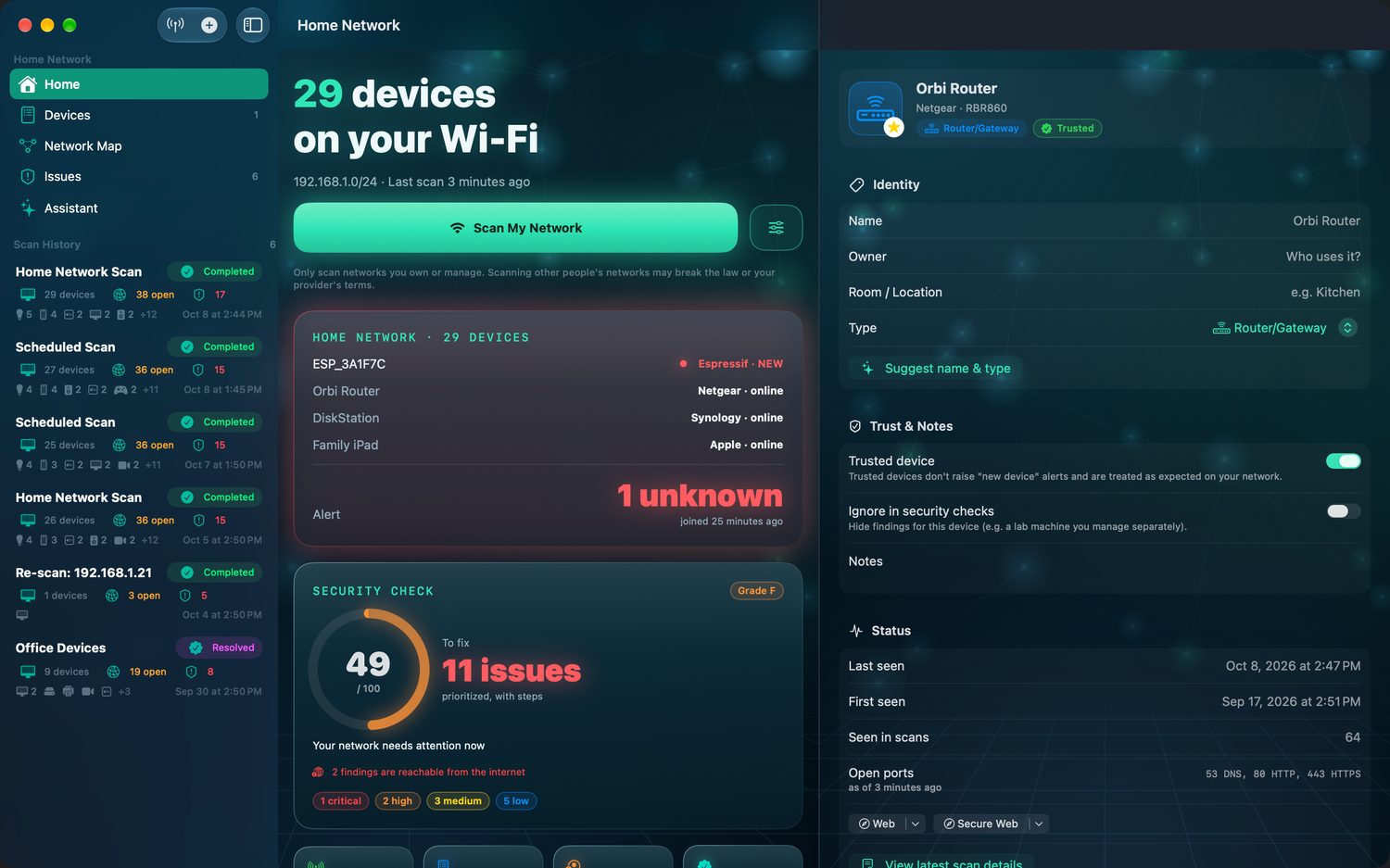
- 192.168.1.1 Orbi Router UPnP: IGD
- 192.168.1.14 Living Room TV 8001 Tizen
- 192.168.1.31 DiskStation 445 SMB
- 192.168.1.70 Home Server 32400 forwarded
- 192.168.1.117 ESP_3A1F7C 23 Telnet
- 192.168.1.118 Galaxy Tab A9 new device
Discovery
It finds the phone with no open ports, too.
A fast liveness sweep counts a refused connection as proof a device is there, so locked‑down phones and laptops show up. Then Crios asks the network who everyone is: Bonjour names, UPnP models, hostnames, MAC vendors on Mac, and a light service fingerprint.
ID Named, not numbered
“Living Room Apple TV” and “Brother printer”, not a column of addresses. Maker, model and platform where the network reveals them.
- Bonjour, UPnP and reverse DNS
- MAC vendor lookup on Mac
- Web titles and service banners
INV A roster you own
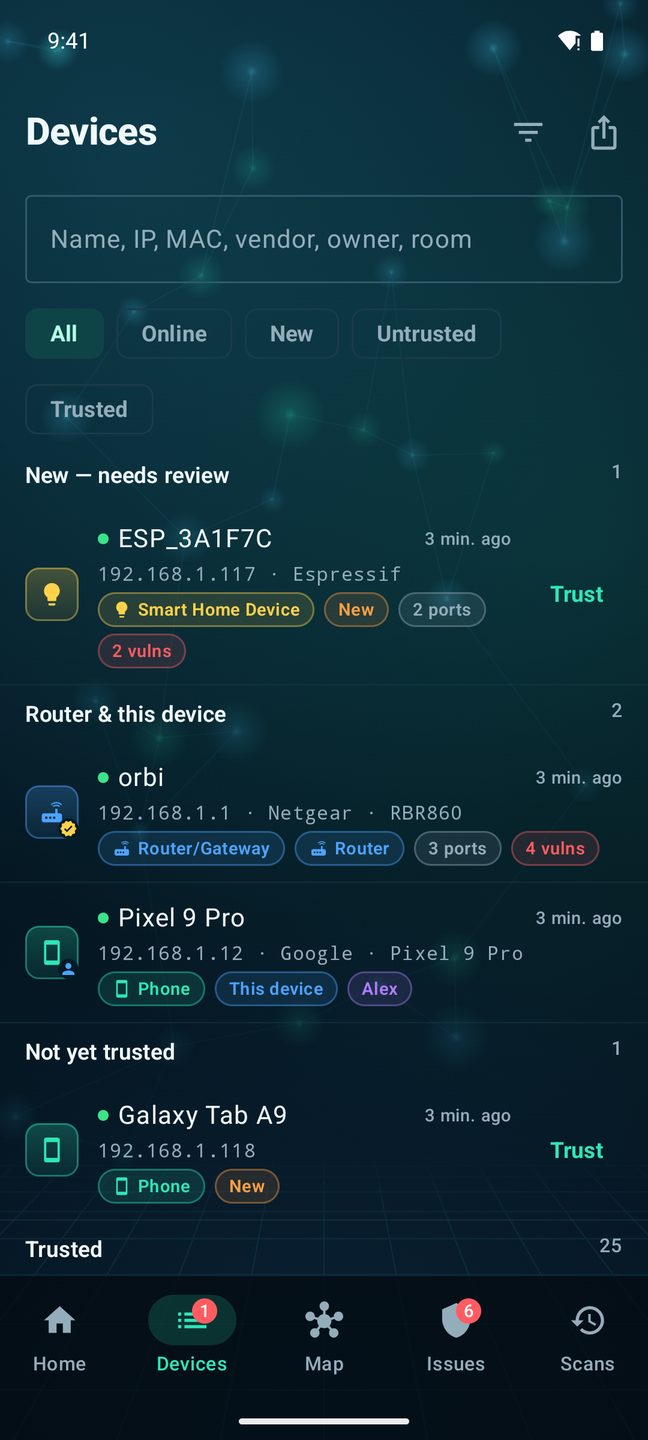
Name each device, set its owner and room, add notes, mark it Trusted. The roster persists across scans and keeps one record per device — by hardware address on Mac and Windows, and by its stable name and address on iPhone, iPad and Android, even when a TV or speaker advertises a new name every scan.
- Trusted devices stop raising alerts
- New until you review it, and always marked New in the scan that found it
- Export as CSV or JSON
NEW Told when it changes
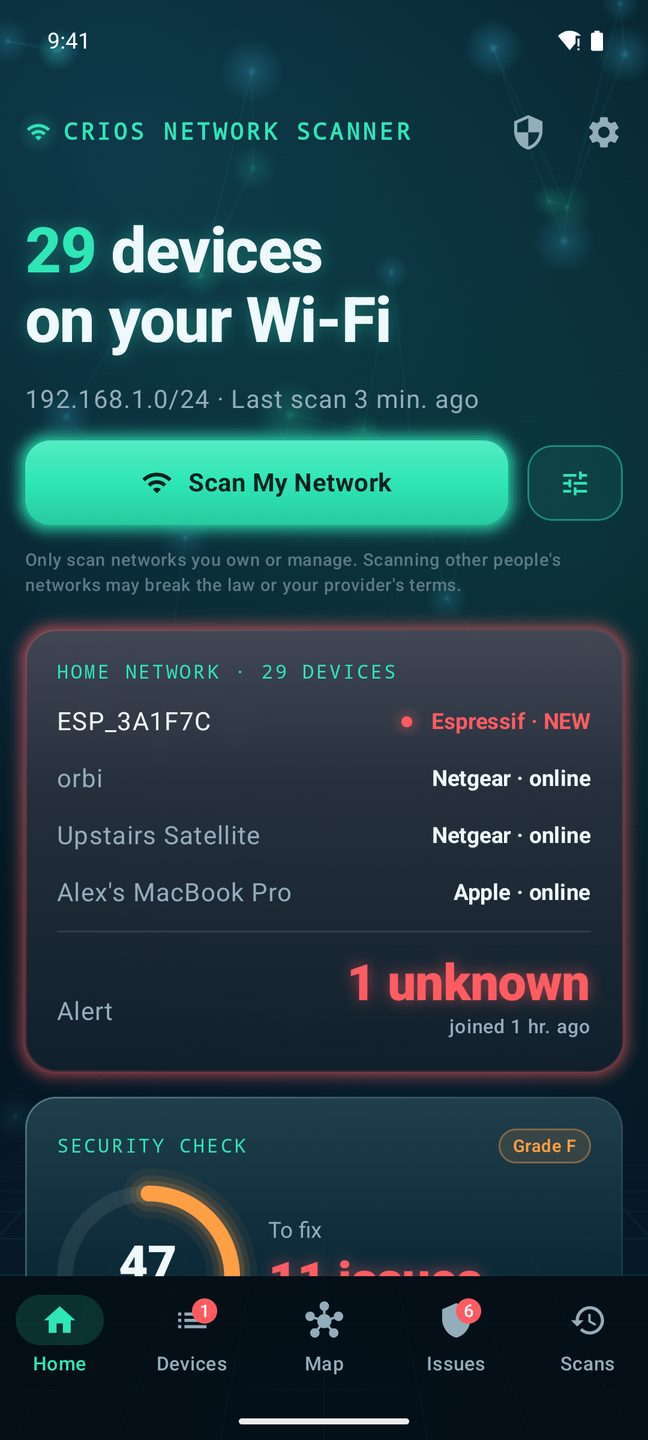
Crios remembers what each device had open. When something unfamiliar joins, or a known device opens a new port, it says so.
- Notifications for first‑time devices
- Newly opened ports per device
- Automatic scans only on the schedule you set (Mac, Android, Windows)
Exposure
An open port at home is not the same as one open to the world.
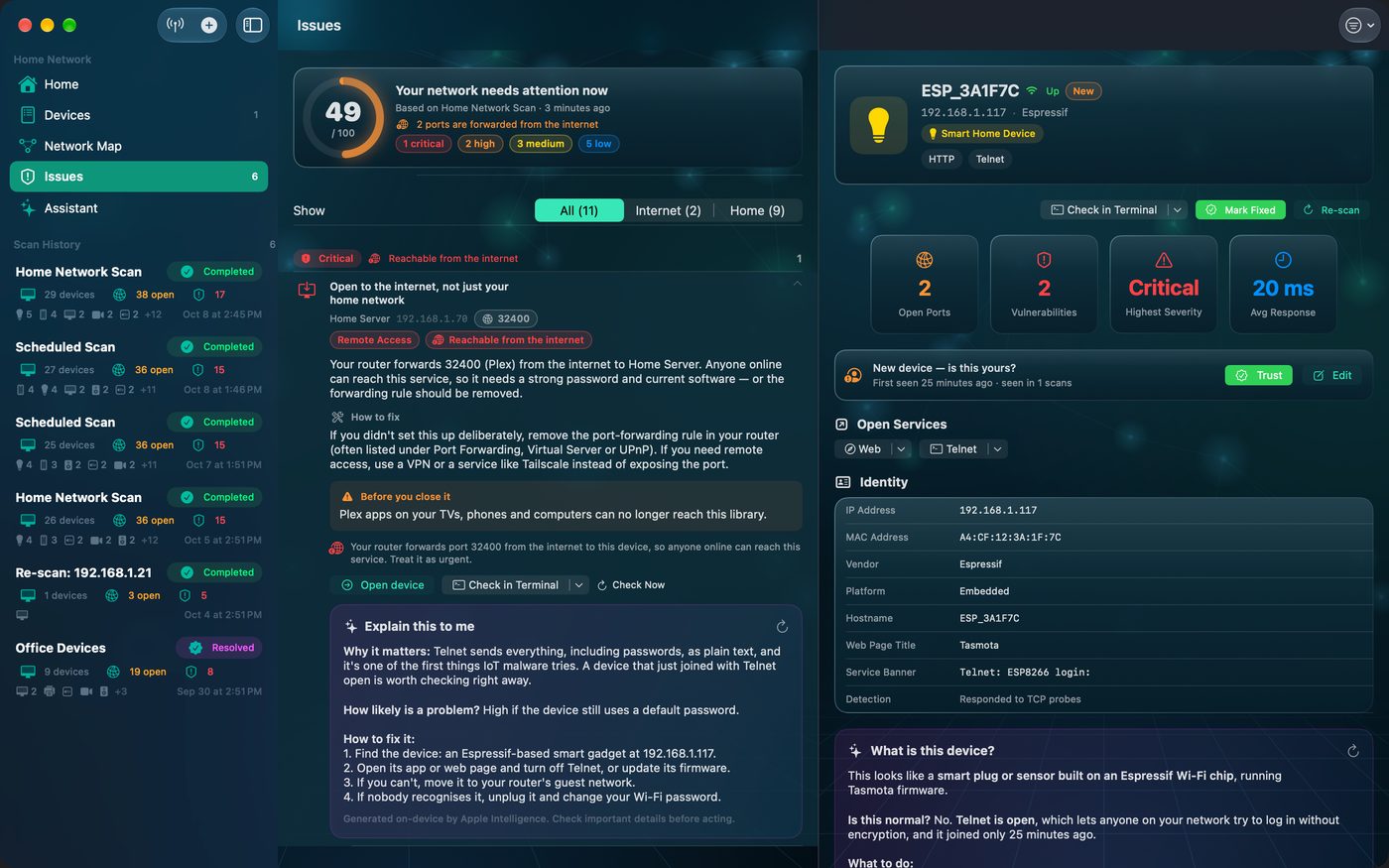
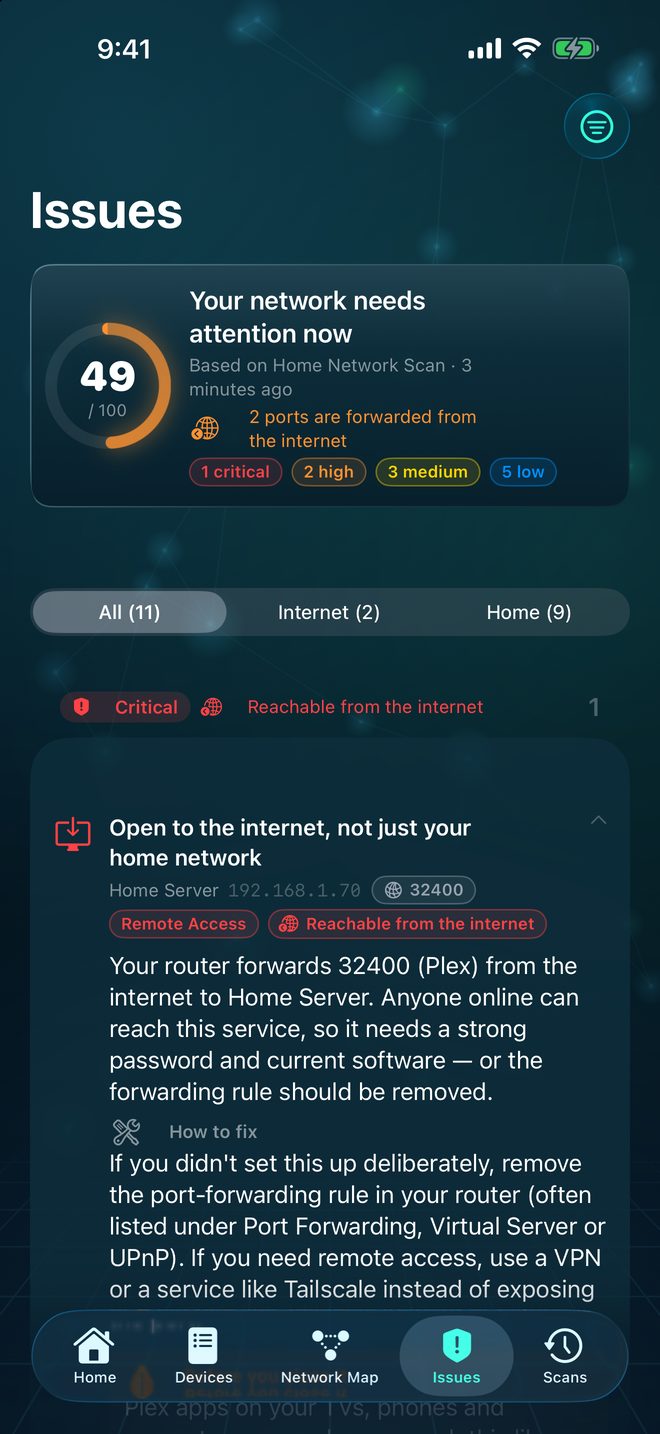
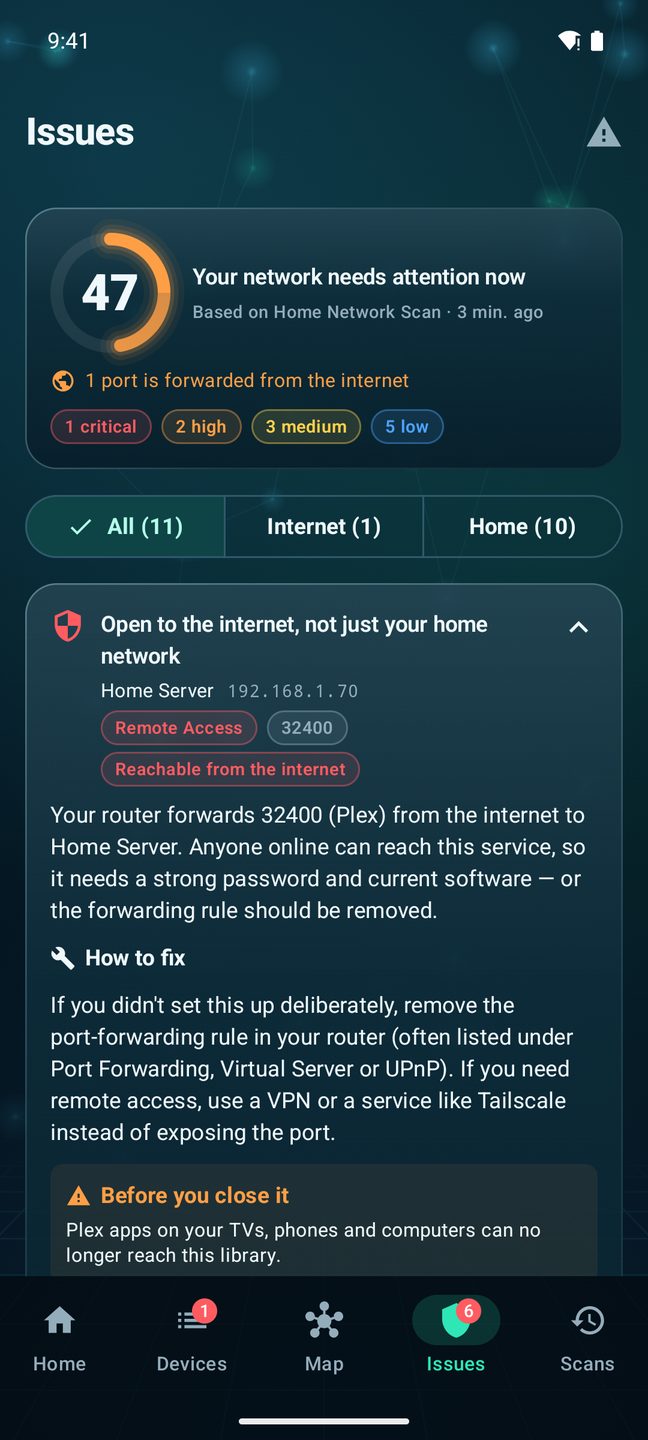
Most scanners treat every finding as equally urgent. Crios asks your router — over UPnP, read‑only — which ports it actually forwards from the internet, then rates each finding accordingly.
Internet‑facing problems move up a severity level. Ones your router confirmed are home‑only move down, and never disappear. The Issues list splits into All, Internet and Home so you fix what's reachable first.
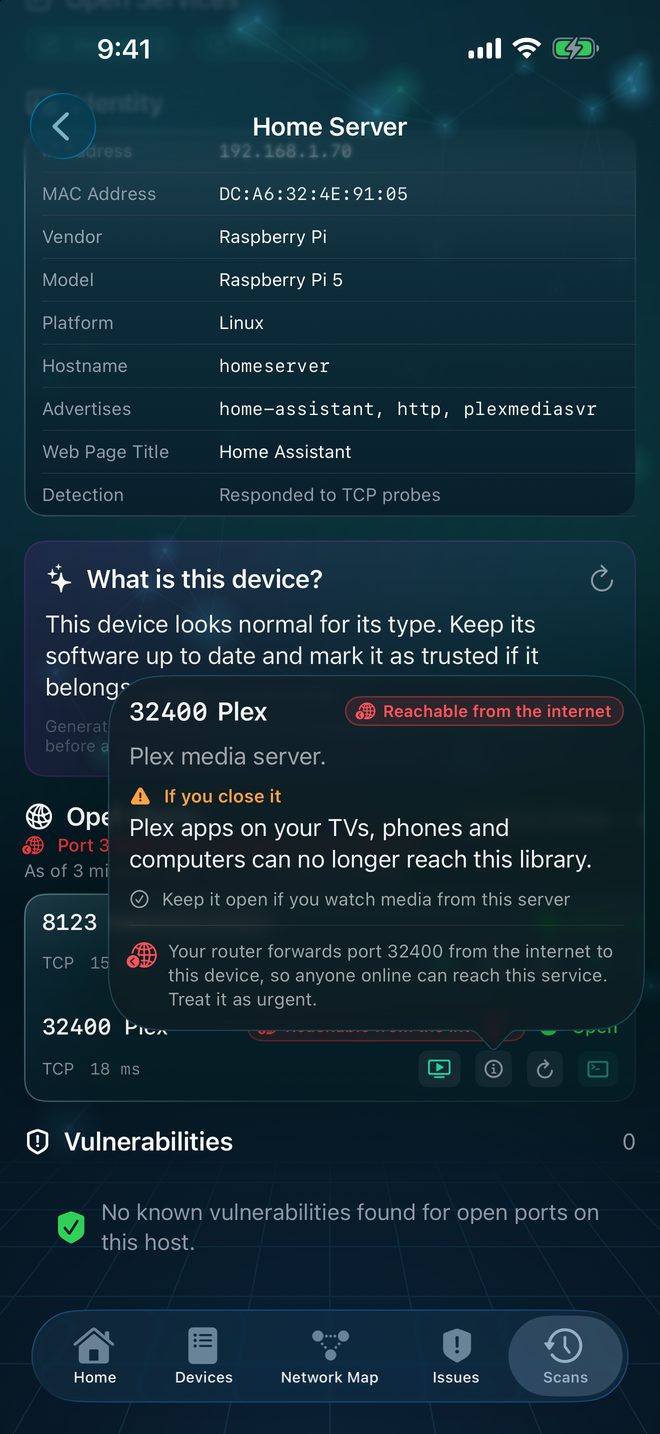
Plex on 32400 · Home Server
Forwarded from the internet, so anyone online can reach it. Severity raised; fix it or remove the rule.
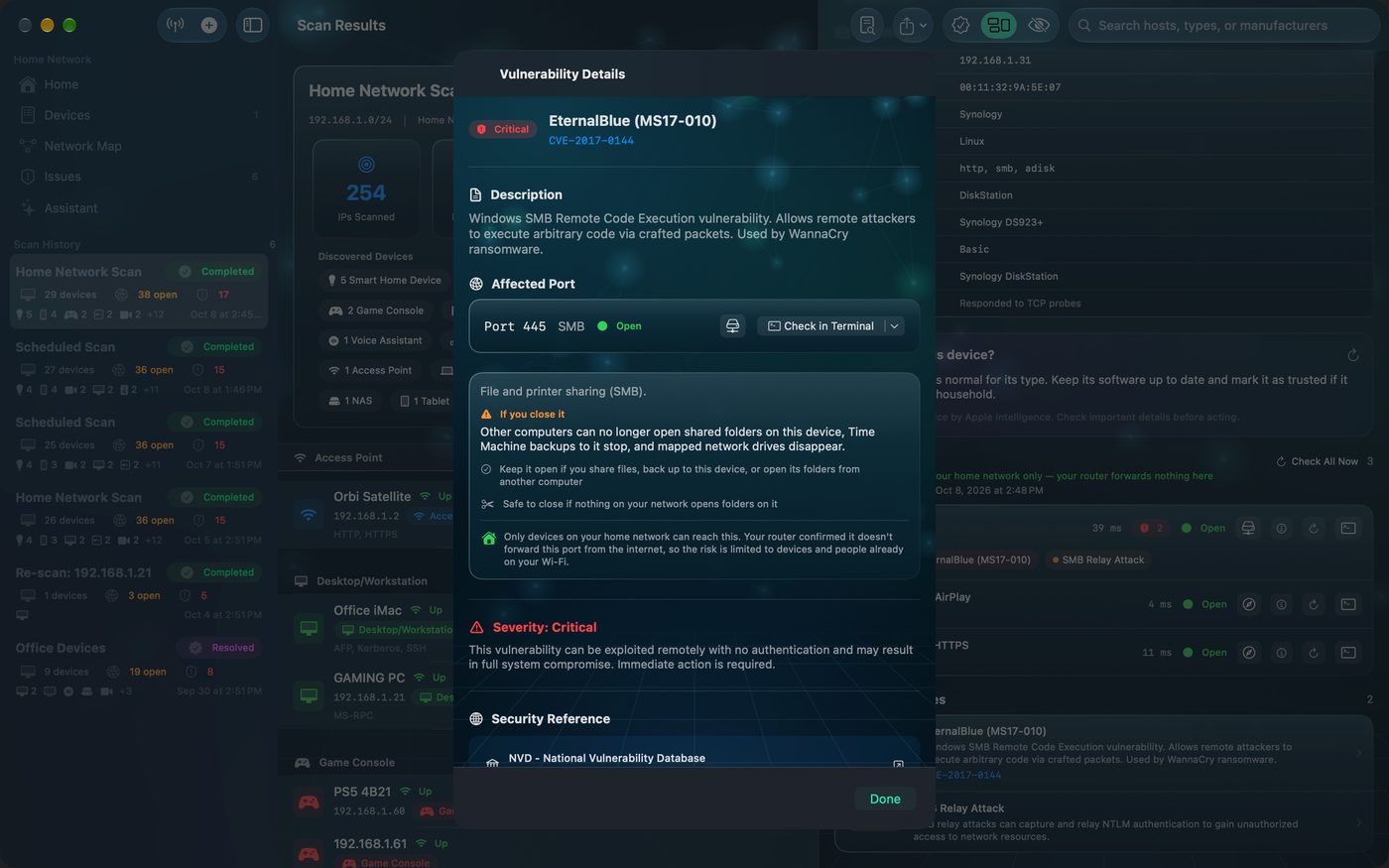
SMB on 445 · DiskStation
Your router forwards nothing here. Still worth fixing, but the risk is limited to devices already on your Wi‑Fi.
Consequences
It warns you before you break your own network.
Turning a port off is easy advice to give and easy to regret. Every open port in Crios explains what it's for, what stops working without it, and when it's genuinely safe to close.
Other computers can no longer open shared folders on this device, Time Machine backups to it stop, and mapped network drives disappear.
✓ Keep it if you share files, back up here, or open its folders from another computer ✂ Safe to close if nothing on your network opens folders on itFixed something? Re‑check a single port in place, or re‑scan the device for a before‑and‑after count of closed, still‑open and newly‑open ports.
On‑device intelligence
Ask your network a question.
Crios can explain any device or finding in plain language, write a short briefing for the whole network, suggest a name for something unfamiliar, and answer questions using your real scan data.
Is anything new on my network I should worry about?
Crios assistant
One device needs your attention: ESP_3A1F7C (192.168.1.117) joined 25 minutes ago. It's a smart‑home gadget built on an Espressif Wi‑Fi chip, and it has Telnet open, which allows unencrypted logins. If nobody at home recognises it, unplug it and change your Wi‑Fi password.
On iPhone, iPad and Mac it runs with Apple's on‑device model (a supported device with Apple Intelligence turned on). On Android and Windows a built‑in on‑device analyst answers (on Copilot+ PCs, Windows' own on‑device model). Either way, your scan data never leaves the device.

One app, five places
Built for the computer you manage from and the phone in your pocket.
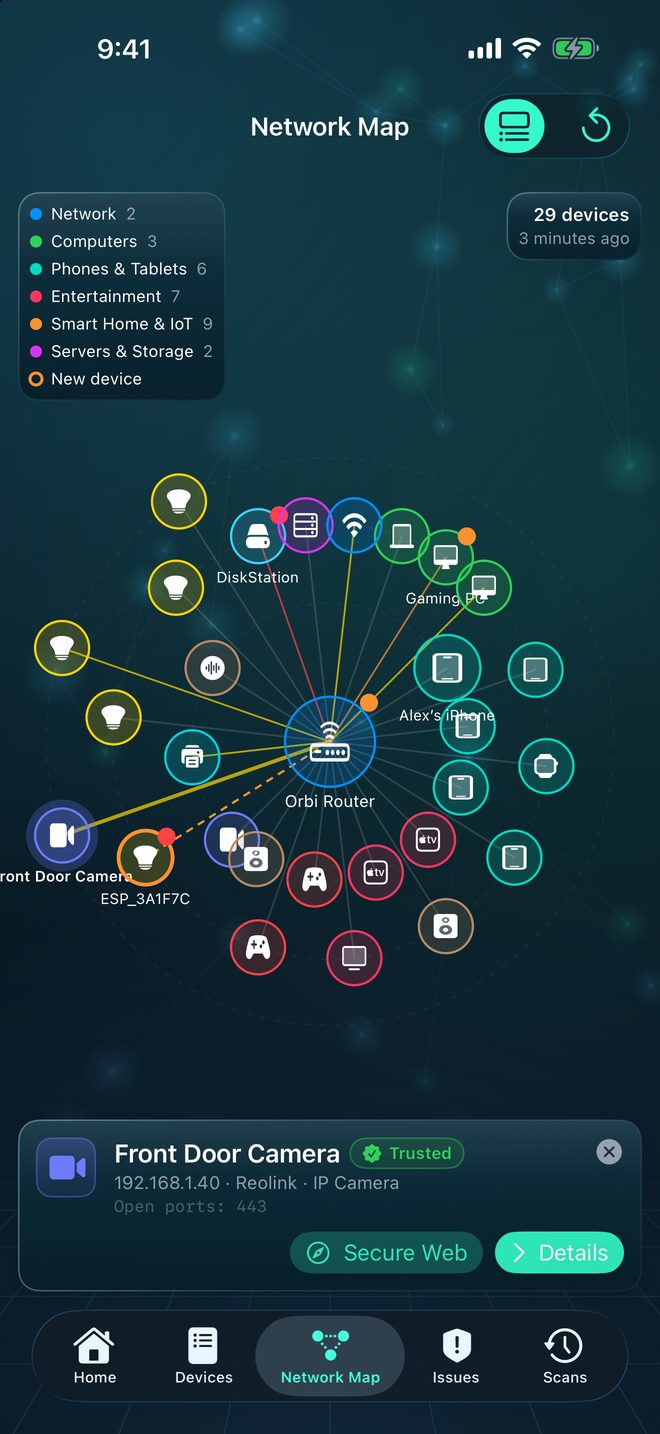
A shield in the menu bar
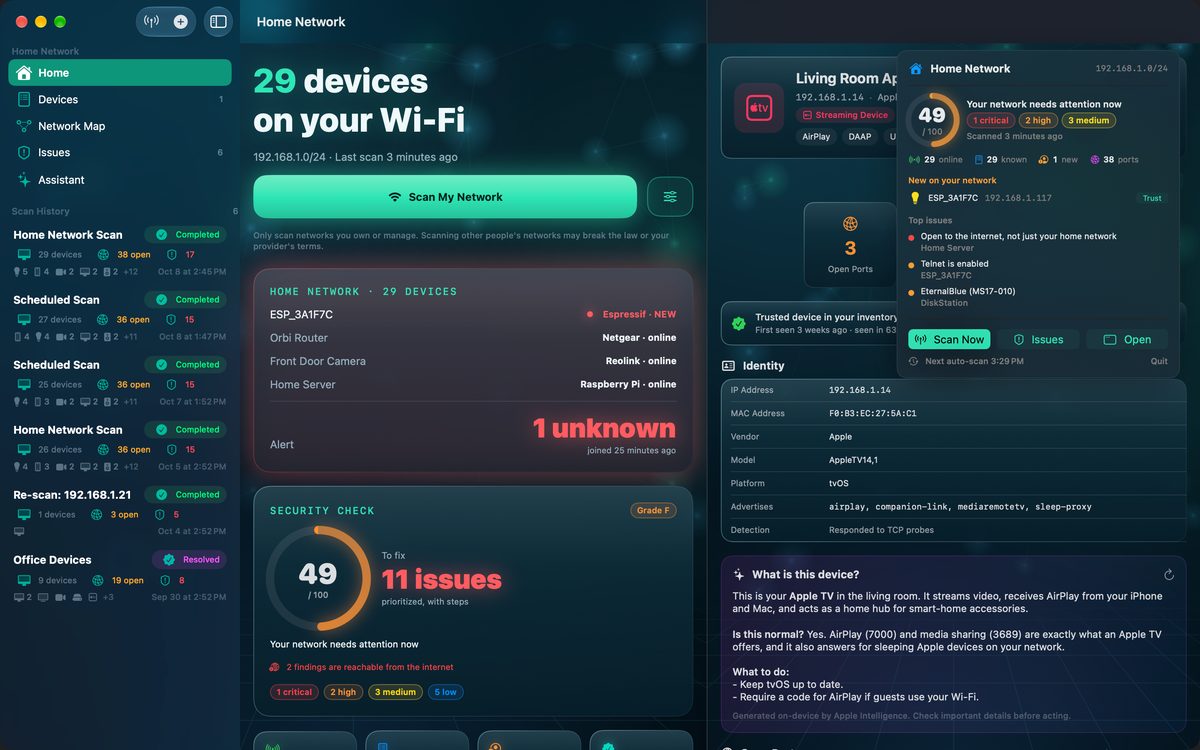
Your score sits in the menu bar with new devices, the top issues and a Scan Now button. Schedule re‑scans, read MAC vendors, and re‑check any port in Terminal with a ready‑made command.
The map, full size
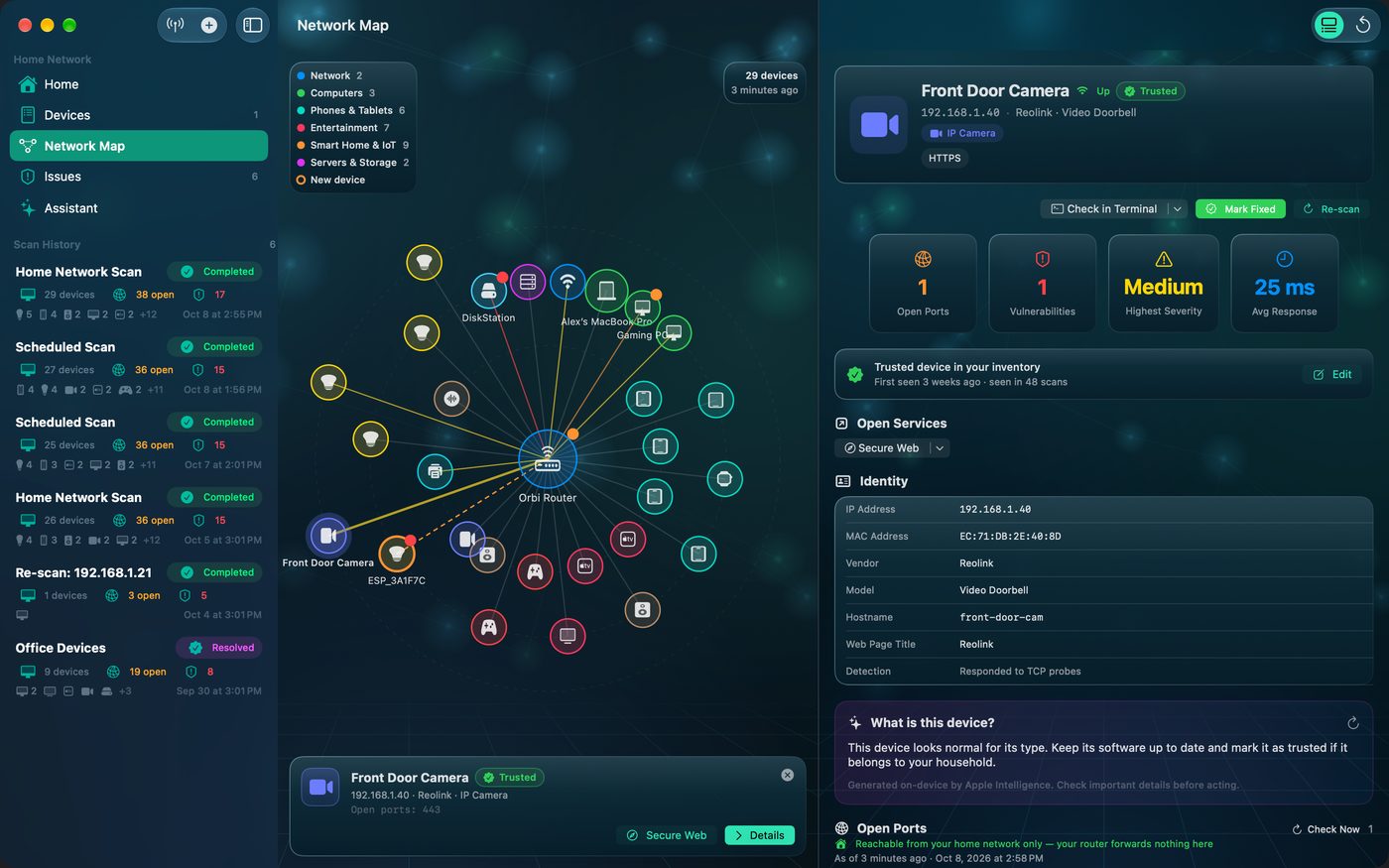
The whole suite in a sidebar layout: dashboard, roster, network map, issues and the assistant, with room to read a finding and its fix side by side.
Scan from the couch
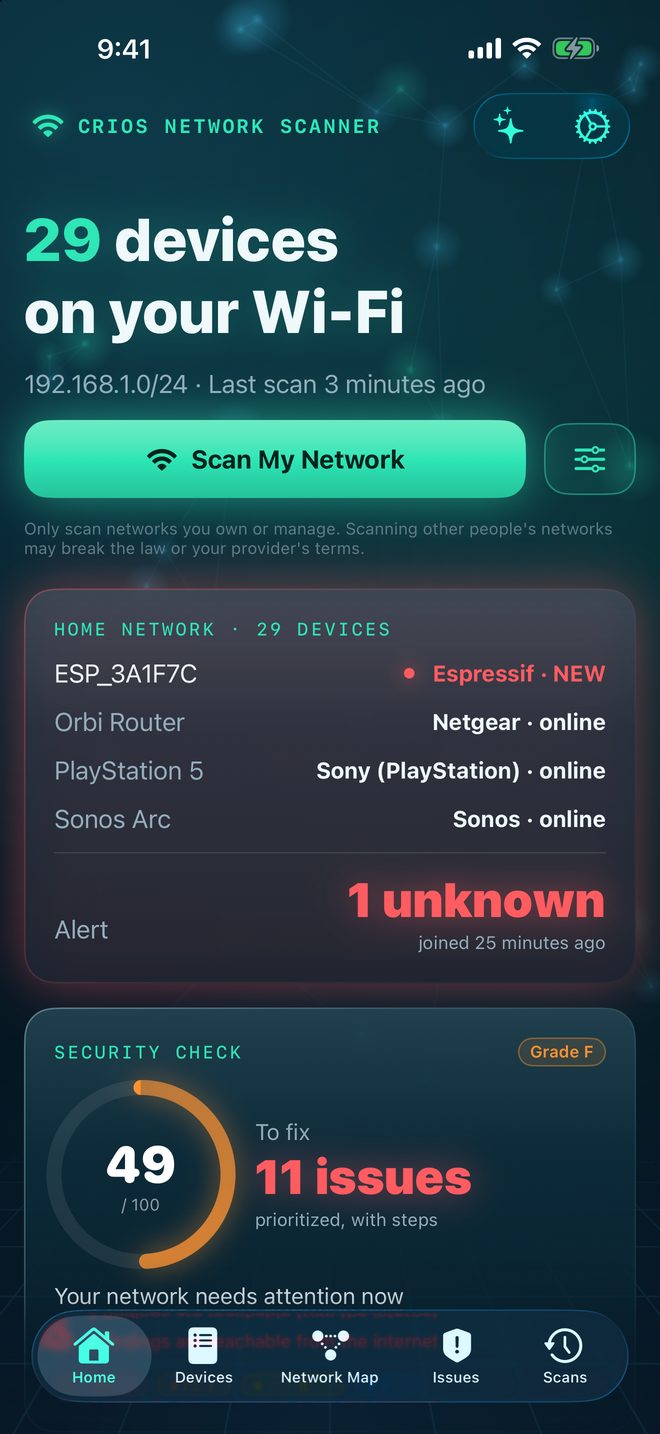
Tap once to sweep the Wi‑Fi you're on, name a new device, open a printer's page in Safari, or copy a port‑check command for your computer.
Phone and tablet
The same suite on Android, with a navigation rail on tablets. Turn on automatic scans from every 15 minutes to once a day — they run only on Wi‑Fi, only on the schedule you choose, and alert you when something new joins.
Made for your PC
Hardware addresses and NetBIOS names for every device, a score in the notification area, a “This PC” check of your firewall, network profile and listening apps, a port check in Windows Terminal, and Wake‑on‑LAN.
Screens
What it looks like at work.
Scroll sideways →
Guides
Get more from every scan.
Practical, plain-language guides to the problems Crios finds and how to fix them.
Your first scan: build a home network baseline in 10 minutes
Run your first Crios scan, name and trust the devices you recognise, and set a baseline so every later scan can tell you what's new.
Read guide →Device securityUnknown device on your Wi‑Fi? How to identify it and what to do
Crios flagged a device you don't recognise. Here's how to work out what it is, when to worry, and the steps that lock out an intruder.
Read guide →Risk and exposureInternet vs home network: why an open port's reach matters most
How Crios asks your router which ports are forwarded from the internet, why that changes severity, and how to close forwards you didn't intend.
Read guide →Fixing issuesBefore you close a port: how not to break your own network
Closing ports improves security, but some keep file sharing, backups, printing and streaming working. Check what a port does before you turn it off.
Read guide →Smart homeSecuring smart home and IoT devices: cameras, plugs and hubs
Smart gadgets are the weakest link on most home networks. How to find risky cameras, plugs and hubs with Crios, and the practical steps that lock them down.
Read guide →Fixing issuesVerify your fix: Check Now, re-scans and Terminal port checks
Confirm a closed port stays closed: re-check a single port, re-scan a device for a before/after comparison, or test from Terminal on a Mac.
Read guide →Questions
Straight answers.
Does Crios scan my network without sending data anywhere?
Yes. Scanning, device identification, the security score, the explanations and the assistant all run on your device. There is no account, no cloud service and no analytics, so scan results and your device inventory stay on your iPhone, iPad, Mac, Android device or Windows PC. The full details are in the privacy policy.
Will Crios scan my network on its own?
Only if you ask it to. A scan starts when you tap Scan, or on the automatic-scan schedule you choose in Settings, which is off until you turn it on. A scan that was interrupted when the app closed waits for you to resume or discard it.
How does Crios know whether an open port is reachable from the internet?
It asks your router, read-only over UPnP, which ports the router forwards from the internet. Findings on a forwarded port are raised one severity level; findings the router confirms are reachable only on your home network are lowered one level, never below Low.
Will Crios tell me what breaks if I close a port?
Yes. 39 ports carry a plain-language warning. Closing file sharing on port 445, for example, stops other computers opening shared folders on that device, stops Time Machine backups to it and removes mapped network drives.
When does a device stop being “new”?
As soon as you act on it: trust it, acknowledge it, ignore it, or give it a name, owner, room, notes or type. It then leaves the new-device counts, but the scan that first found it keeps showing it as New, so your history stays accurate.
Does it show MAC addresses on iPhone and Android?
iOS, iPadOS and Android do not give apps access to other devices' MAC addresses, so hardware-address vendor lookup is a Mac and Windows feature. On iPhone, iPad and Android, devices are identified by Bonjour names, hostnames, UPnP models and service fingerprints instead.
Can I use Crios on a network I do not own?
No. Crios is for networks you own or manage. Scanning ports on other people's networks may breach local law or your provider's terms.
Know your network
Find out what's on your Wi‑Fi tonight.
One scan builds your device roster, scores your network and tells you the three things worth fixing. Everything stays on your device.
Use Crios on networks you own or manage. Scanning ports on other people's networks may breach the law or your provider's terms. Screenshots show an example home network.