 Crios
Crios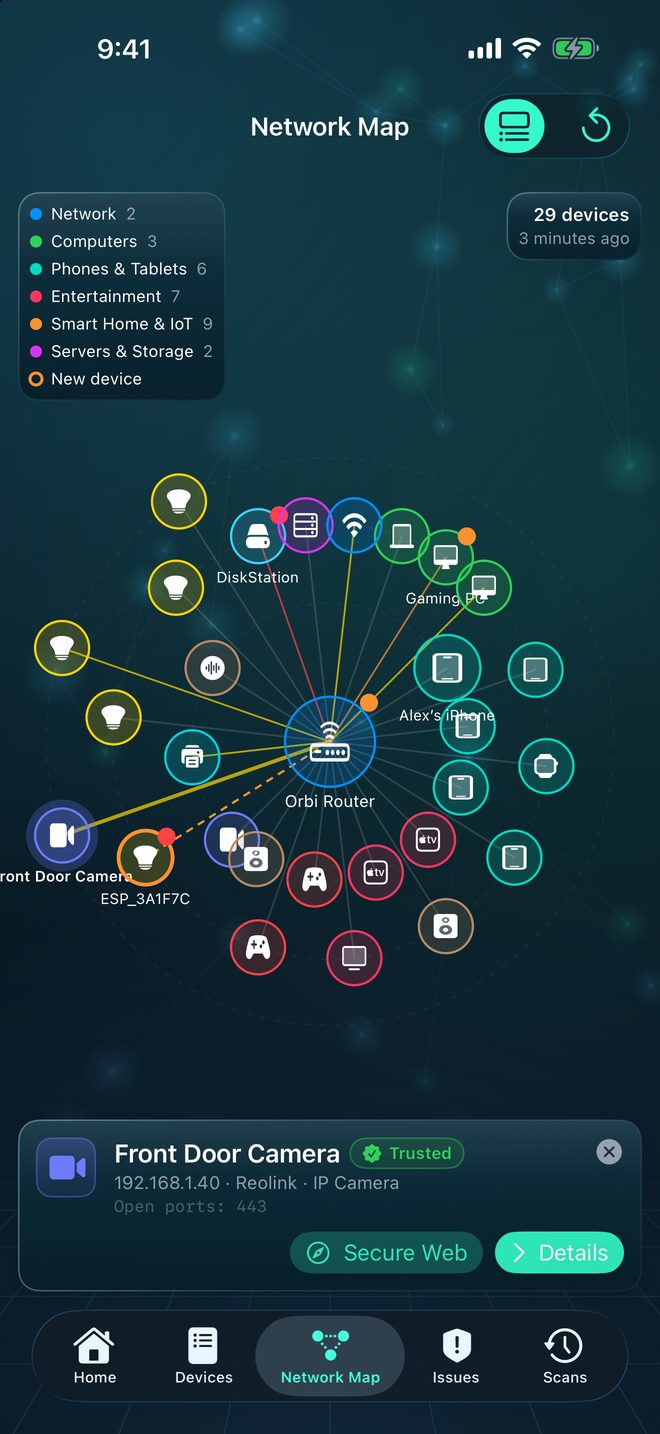
Why IoT devices deserve extra attention
A laptop gets security updates every month. A $12 smart plug may never get one. Many gadgets are built on generic Wi‑Fi modules with debugging services left enabled, default passwords, and no screen to warn you about any of it. Once on your network they sit there for years.
Find them all first
After a scan, open the Network Map. Crios groups devices by category, so smart home and IoT gear clusters together. The Devices tab can also be grouped by category. Look for vendor names such as Espressif, Tuya or Shenzhen, and hostnames like ESP_3A1F7C: they're the Wi‑Fi chips inside many cheap gadgets.
What Crios flags on smart devices
- Telnet (23) enabled. Rated critical. Telnet sends logins unencrypted and is the first thing IoT malware tries.
- Camera streams (RTSP, 554) reachable. Many cameras stream to anyone on the network, sometimes with no password.
- Camera admin pages on ports 80, 81 or 37777.
- Local control APIs such as MQTT (1883) or Tuya's local protocol (6668), which may accept commands without a key.
- SSH on a gadget, which often ships with a default password.
Lock them down
- Update the firmware in the device's app. Check the manufacturer still ships updates; if not, plan to replace it.
- Change default passwords, especially on cameras and recorders.
- Turn off what you don't use. RTSP if you only watch through the vendor's app; Telnet always.
- Put smart devices on their own network. Most routers offer a guest or IoT network. Devices there can reach the internet but not your laptops and NAS.
- Don't forward camera ports from the internet. Use the vendor's app or a VPN for remote viewing.
If an NVR, NAS or Home Assistant records your camera, it probably uses RTSP. The ⓘ on port 554 reminds you; check what records the camera before turning it off.
Watch for new arrivals
A new smart device is also a new risk. With Alert me about new devices on, Crios tells you when one joins, and when a known device opens ports it didn't have before. That second alert matters: a firmware update that quietly turns on a new service shows up the next time you scan.
Ask for a plain‑language read
On a device that supports Apple Intelligence, open any gadget and use What is this device?, or ask the Network Assistant “Are any cameras or smart home devices exposed?”. Answers use your real scan data and are generated on your device.