 Crios
Crios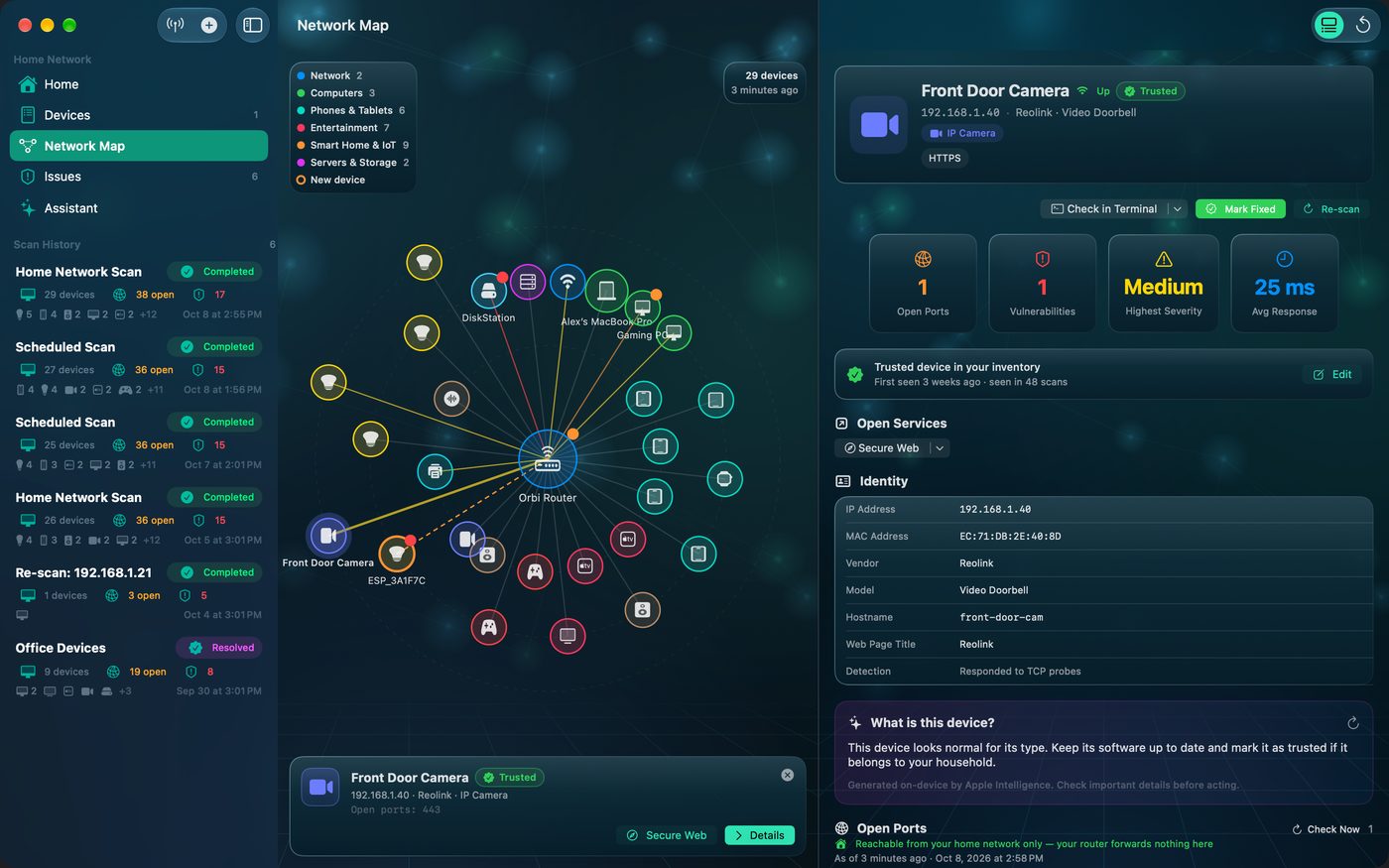
What Crios checks automatically
Every home network scan inspects your gateway and reports:
- UPnP port mapping enabled. Crios asks the router over UPnP; if it answers as an Internet Gateway Device, any app on your network can open ports to the internet without asking you.
- Ports forwarded from the internet, listed individually, with any matching device finding raised in severity.
- Admin page over plain HTTP, which means the router password can be read by anyone on your network.
- Extra web services on ports like 8080 or 8443, sometimes a second admin page or remote‑management interface.
- Telnet or SSH on the router, which often ships with default credentials.
Open your router in Crios and use Open Services to reach its admin page directly.
The checklist
| Setting | Recommended | Crios sees it? |
|---|---|---|
| Admin password | Long and unique; never the default | no |
| Firmware | Up to date, automatic updates on | no |
| Wi‑Fi security | WPA3, or WPA2/WPA3 mixed | no |
| WPS | Off | no |
| Remote (WAN) management | Off | partly |
| UPnP | Off unless a device needs it | yes |
| Port forwards | Only the ones you meant | yes, via UPnP |
| Admin over HTTPS | On | yes |
| Telnet / SSH on router | Off | yes |
| Guest / IoT network | On, for visitors and smart gadgets | no |
The UPnP trade-off
UPnP exists for convenience: consoles, media servers and some VPN tools open the ports they need automatically. The cost is that malware on any device can do the same. If you turn UPnP off, a console may report a stricter NAT type; add a manual forward for it instead.
A note on DNS
Your router answering on port 53 is normal: it's handing out DNS to your devices. Crios doesn't flag DNS on your own router for that reason. If you run a Pi‑hole or AdGuard box, expect port 53 there too.
After changing router settings
Run a fresh Scan My Network. Router findings should clear, and anything that was Reachable from the internet should drop to Home network only.
With mesh Wi‑Fi (Orbi, eero, Deco and others) the main unit is the gateway; satellites show up as access points. Settings are managed in the vendor's app for the whole system.