 Crios
Crios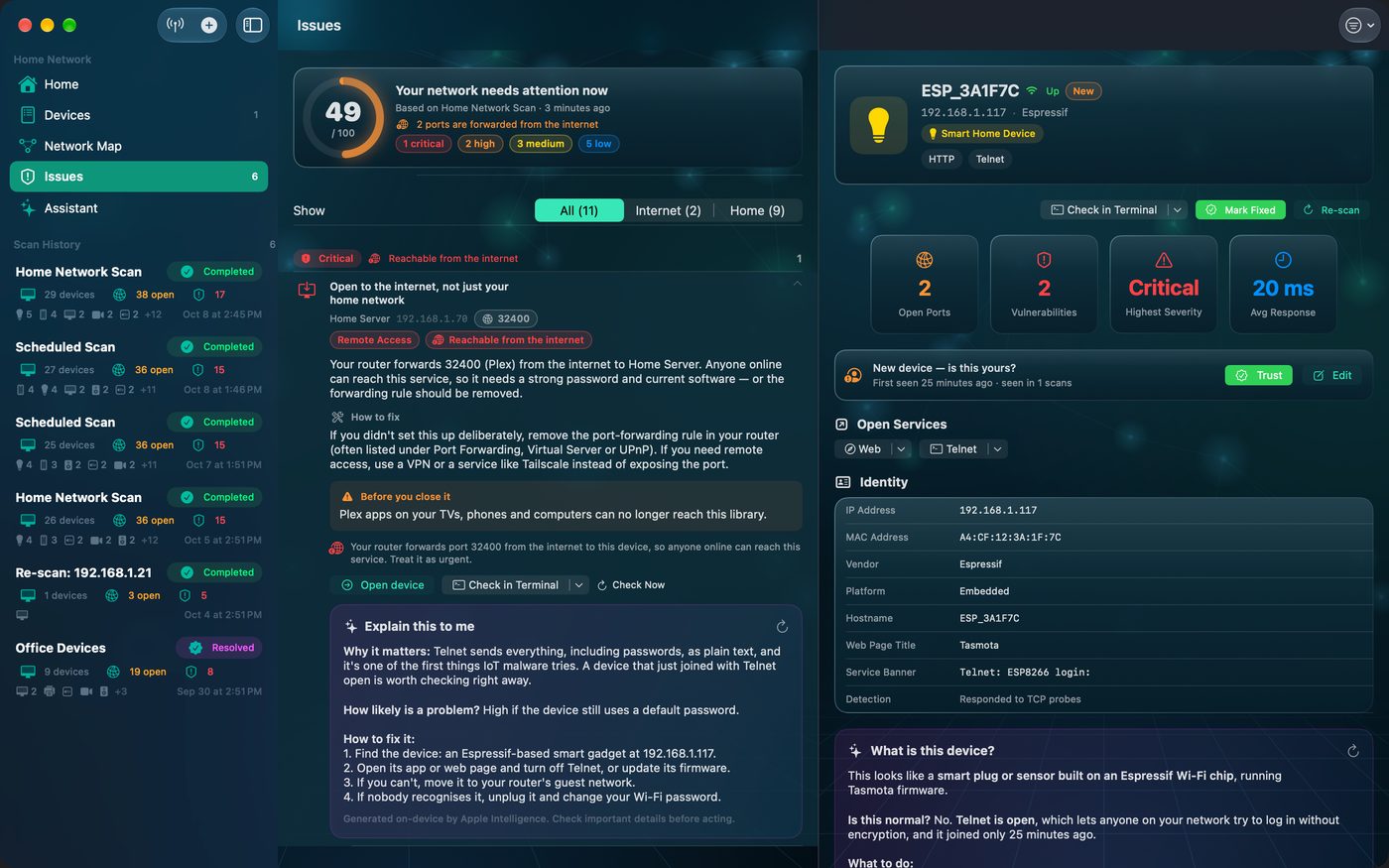
What an open port actually means
Every service a device offers listens on a numbered port. Your printer listens on 631 so computers can print; your Apple TV on 7000 so you can AirPlay to it. When Crios reports a port as open, a connection to it succeeded. That's not automatically bad. It becomes a problem when the service is insecure, unexpected for that device, or reachable from outside your home.
Crios reports three states: Open (it answered), Closed (the device refused, so it's there but not listening), and Filtered (no answer at all, usually a firewall).
Ports you should expect
| Port | Service | Typically on | |
|---|---|---|---|
| 53 | DNS | Your router, or a Pi‑hole | expected |
| 80 / 443 | Web page | Routers, printers, NAS, cameras | expected |
| 631 | IPP printing | Printers | expected |
| 7000 | AirPlay | Apple TV, HomePod, Macs, some TVs | expected |
| 8008 / 8009 | Google Cast | Chromecast, Nest speakers, TVs | expected |
| 62078 | iPhone/iPad sync | iPhone, iPad | expected |
| 445 | File sharing (SMB) | NAS, Macs and PCs that share folders | check it's intended |
| 22 | SSH | NAS, servers, Raspberry Pi | fine if you use it |
Ports worth questioning
| Port | Service | Why it matters | |
|---|---|---|---|
| 23 | Telnet | Sends passwords in plain text; a favourite target of IoT malware. | close it |
| 21 | FTP | Unencrypted file transfer; often left on by old NAS or camera firmware. | replace or close |
| 3389 | Remote Desktop | A common brute‑force and ransomware entry point on Windows PCs. | off unless used |
| 5900 | Screen sharing (VNC) | Full control of the screen if the password is weak or missing. | protect it |
| 554 | RTSP video | Camera streams that are often viewable with default credentials. | password + isolate |
| 3306, 5432, 6379, 27017 | Databases | Should never be open to every device on your Wi‑Fi. | restrict |
Context matters more than the number
SSH on your NAS, which you manage, is normal. SSH on a no‑name smart plug is not. Crios weighs findings by device type for this reason: remote‑access services on cameras, routers and IoT gadgets are flagged, while the same service on a server you run is treated as expected. Every open port also has an ⓘ button explaining what the service does and what stops working if you close it.
Where it's reachable from changes everything
A port open only on your home network can be reached by devices already on your Wi‑Fi. A port your router forwards from the internet can be reached by anyone online. Crios asks your router which ports it forwards and adjusts severity accordingly; our exposure guide explains how.
What to do with a questionable port
- Tap ⓘ to see what the port is for and what closing it would break.
- Turn the service off in the device's own settings or app. Crios can't change device settings; it tells you where to look.
- Tap Check Now to confirm it's closed. See Verify your fix.